How to Find Website Mistakes Using Screaming Frog
Table of Contents
How to Find Website Mistakes Using Screaming Frog is an important skill for anyone who wants to improve their website’s SEO and overall performance. Many website owners spend hours writing blogs, creating backlinks, and publishing new content, but they often forget to check whether their website has technical issues. Problems like broken links, missing meta descriptions, duplicate titles, and incorrect redirects can affect website quality and user experience.
This is where Screaming Frog SEO Spider becomes useful. it is a powerful website crawling tool that helps you identify different SEO problems without checking every webpage manually. Whether you are a beginner, blogger, business owner, or digital marketer, learning this tool can make website auditing much easier.
In this guide, you will learn how to use Screaming Frog step by step and discover common website mistakes that you should fix.
H2: How to Find Website Mistakes Using Screaming Frog: Understanding the Tool
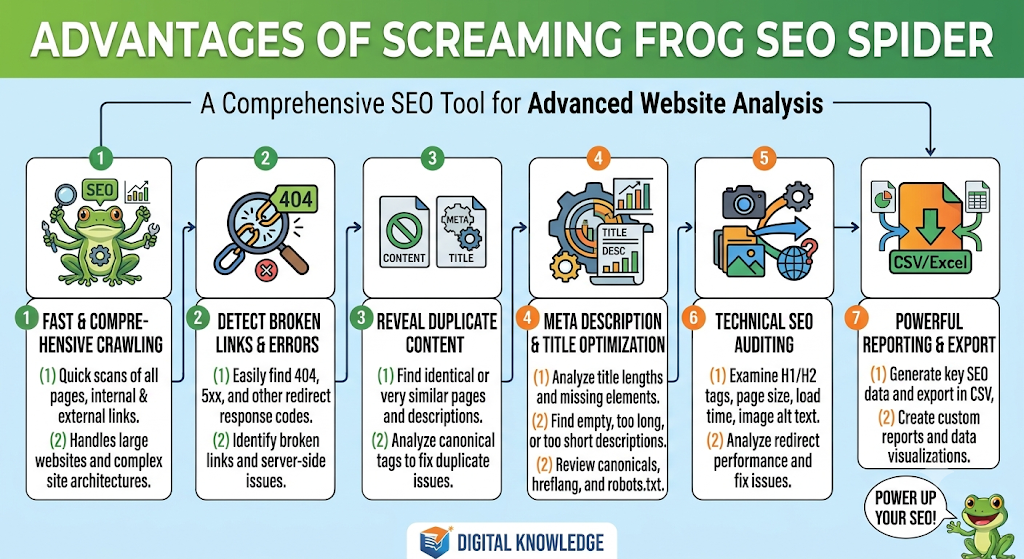
Screaming Frog SEO Spider is a website crawler that scans your website and How to Find Website Mistakes Using Screaming Frog collects important information about its URLs. It works similarly to a search engine crawler by following links and analysing different website elements.
It can help you find problems related to:
- Broken links and 404 errors
- Missing page titles and meta descriptions
- Duplicate content and headings
- Images without ALT text
- Redirect chains and loops
- Canonical tag issues
- Internal linking problems
For example, imagine you have a website with 100 blog posts. Checking every post manually would take a lot of time. Screaming Frog can crawl these pages and present useful information in one dashboard.
H2: How to Download and Set Up Screaming Frog
Before starting your website audit, you need to install the software on your computer.
Follow these steps:
- Visit the official Screaming Frog website.
- Open the SEO Spider download page.
- Download the software for Windows, macOS, or Linux.
- Install the application.
- Open Screaming Frog SEO Spider.
The free version allows you to crawl up to 500 URLs per crawl. This is a good starting point for small websites and beginners.
Once the software is installed, you are ready to analyse your website.
H2: How to Find Website Mistakes Using Screaming Frog Step by Step
Now let’s understand how you can use this tool to identify common SEO problems.
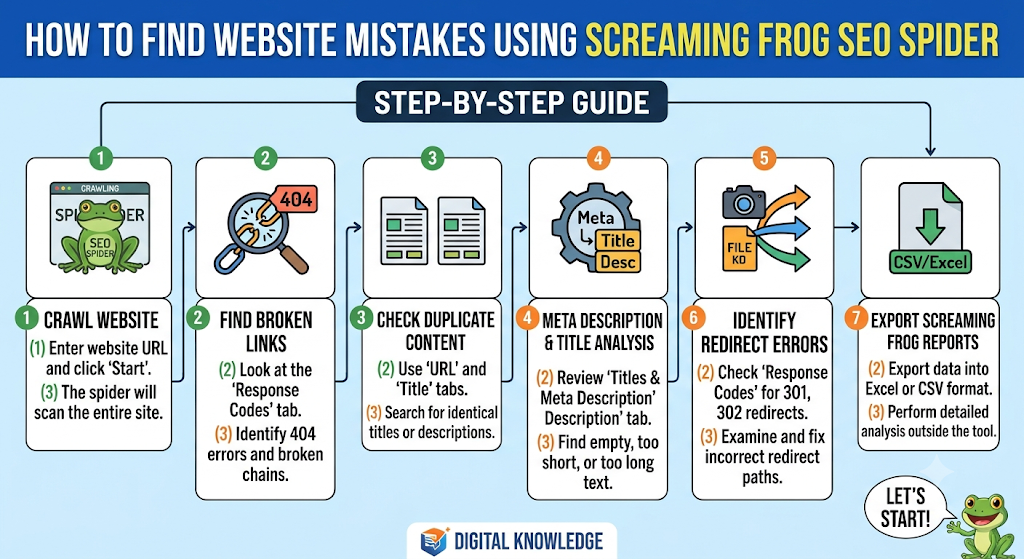
H3: Step 1: Enter Your Website URL
Open Screaming Frog SEO Spider and look for the URL input bar at the top of the application.
Enter your website address, for example:
Click the Start button to begin crawling.
The software will start scanning your website and collecting information about its pages, links, images, and technical SEO elements.
Wait until the crawl is complete before analysing the reports.
H3: Step 2: Find Broken Links and 404 Errors
Broken links are one of the most common problems found during website audits. How to Find Website Mistakes Using Screaming Frog they occur when a link points to a page that no longer exists or cannot be accessed.
These links can frustrate visitors and create unnecessary navigation problems.
To identify broken links:
- Open the Response Codes tab.
- Select the Client Error (4xx) filter.
- Review the URLs showing errors.
- Check the Inlinks tab to find which pages link to those URLs.
You can then update the incorrect links, restore missing pages, or redirect URLs where appropriate.
H3: Step 3: Check Missing Meta Titles and Descriptions
Every important webpage should have a meaningful page title and meta description.
A page title helps describe the topic of a webpage, while a meta description provides a short summary that may appear in search results.
To find missing information:
- Open the Page Titles tab.
- Select the Missing filter.
- Review pages without titles.
- Open the Meta Description tab.
- Select the Missing filter again.
Add unique and relevant titles and descriptions to the affected pages.
H3: Step 4: Identify Duplicate Page Titles
Duplicate titles can make it difficult to distinguish between different pages on your website.
For example, if five different blog posts have the same page title, search engines and visitors may not immediately understand how their topics differ.
To check duplicate titles, open the Page Titles tab and select the Duplicate filter.
Review the affected URLs and create unique titles that accurately describe each page.
H3: Step 5: Find Missing H1 Headings
An H1 heading communicates the main topic of a webpage. It helps readers understand what the page is about.
For example, if your article is about digital marketing, its H1 should clearly explain that topic.
To find missing H1 headings:
- Open the H1 tab.
- Select the Missing filter.
- Check the affected URLs.
- Add a relevant main heading to each important page.
You can also review duplicate H1 headings and pages with multiple H1 elements to identify possible improvements.
H3: Step 6: Check Images Without ALT Text
Images are important for making website content more attractive and informative. How to Find Website Mistakes Using Screaming Frog However, search engines cannot understand every image in the same way that humans do.
ALT text provides a description of an image and also helps people using screen readers.
To find missing ALT text:
- Open the Images tab.
- Select the Missing Alt Text filter.
- Review the affected images.
- Add meaningful descriptions wherever necessary.
For example, instead of using a generic name like “photo1”, use a descriptive ALT text such as “Screaming Frog SEO Spider website audit dashboard”.and if you want to skyrocket your knowledge then [click here]